You've downloaded Arsenal Vault. Now what? This guide walks you through the essentials so you can start tracking your collection right away.
Step 1: Create Your Account
When you first launch Arsenal Vault, you'll be prompted to create an account. This account is local to your device (for the Desktop version) or stored securely in the cloud (for the web version).
Pick a strong password. Your data is encrypted, and this password is the key to accessing your vault.
Step 2: Explore the Dashboard
After logging in, you'll land on the Dashboard. This is your command center.
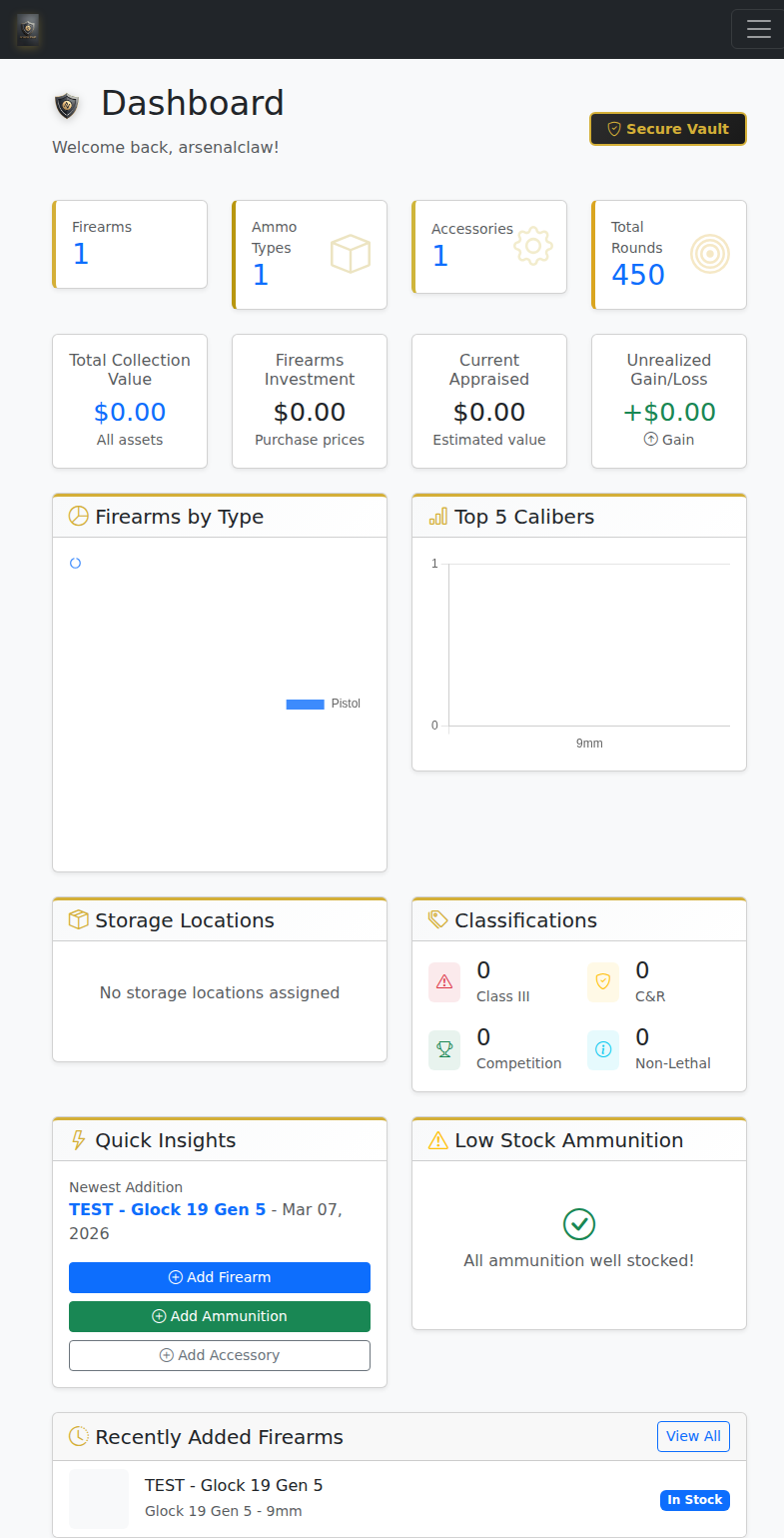
The Dashboard gives you a bird's-eye view of your entire collection.
Here's what you'll see:
- Quick Stats — Total firearms, ammunition types, accessories count
- Collection Value — Running total of your inventory's worth
- Recent Activity — What you've added or modified lately
- Quick Actions — One-click buttons to add items
Step 3: Add Your First Firearm
Click "Add Firearm" from the dashboard or navigate to Firearms → Add New.
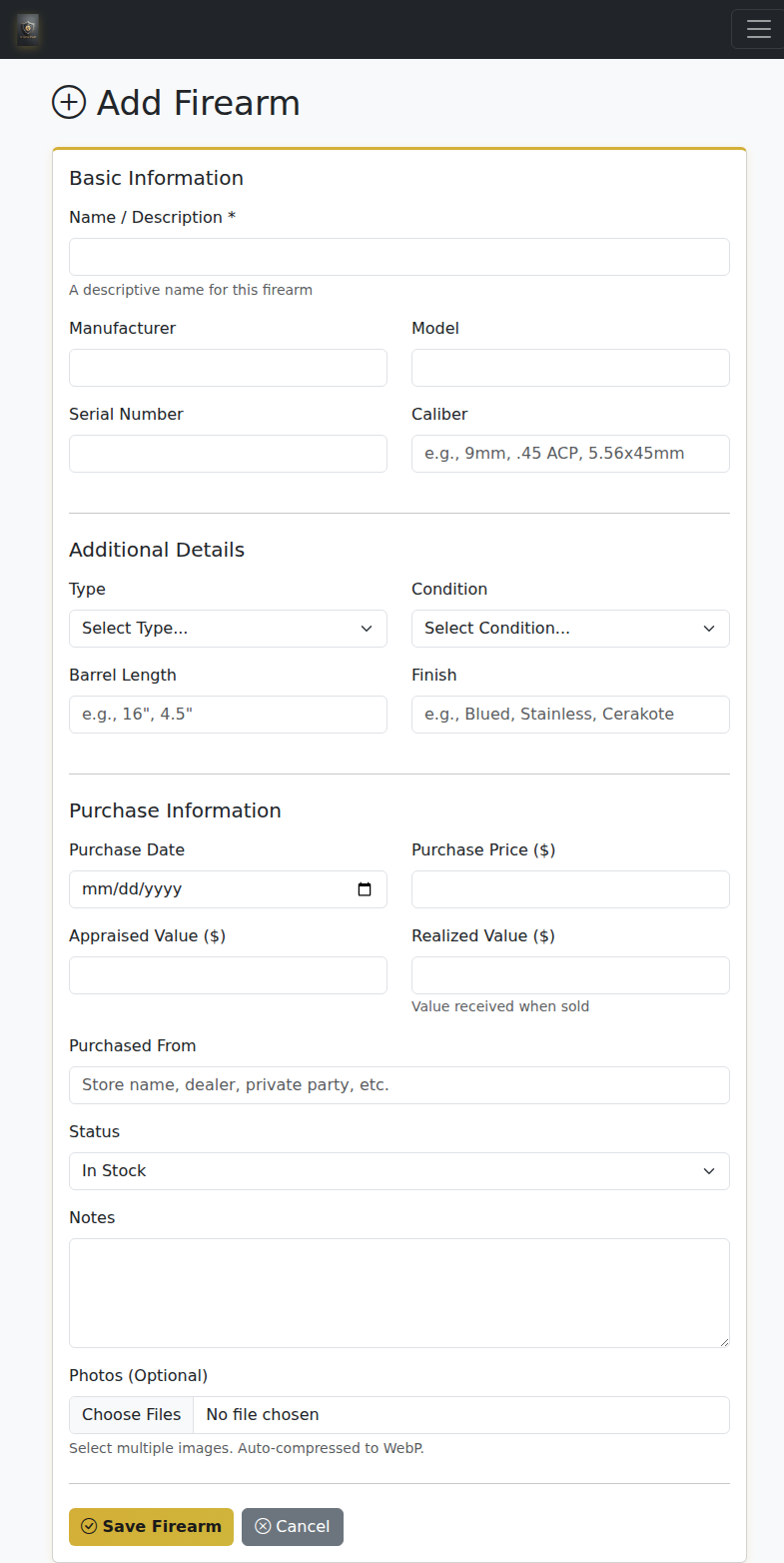
The Add Firearm form captures everything you need.
Fill in the details:
- Make & Model — Who made it and what it's called
- Caliber — What it shoots
- Serial Number — Critical for insurance and recovery
- Purchase Info — Date, price, where you bought it
- Photos — Add multiple images for documentation
Pro Tip
Take photos of the serial number, any unique markings, and the overall condition. If you ever need to file an insurance claim or police report, these photos are invaluable.
Step 4: Track Your Ammunition
Navigate to Ammunition in the sidebar. Here you can track every caliber you own, how much you have, and what you've spent.
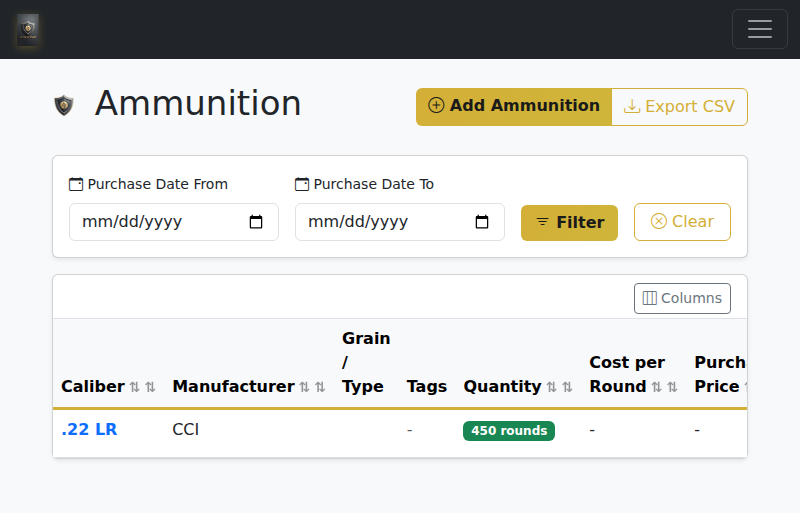
Never wonder how much 9mm you have left again.
Add your ammo types and quantities. When you go to the range, update the counts. Arsenal Vault will help you see what's running low before your next shopping trip.
Step 5: Log Accessories
Optics, holsters, magazines, cases, safes — they add up. The Accessories section lets you track all of it, and you can link accessories to specific firearms.
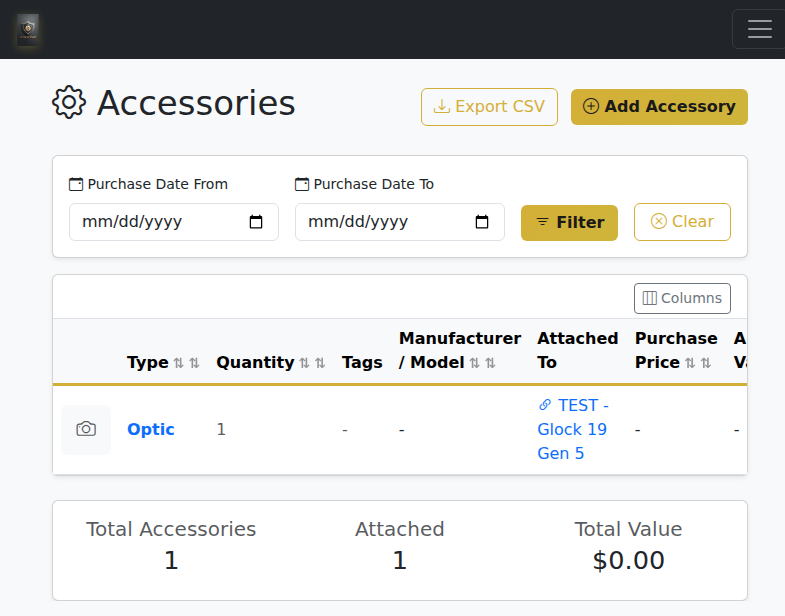
Track optics, holsters, magazines, and more.
Step 6: Check the Firearm Detail View
Click on any firearm to see its full record. This is where all the details live: specs, photos, maintenance history, linked accessories, and notes.
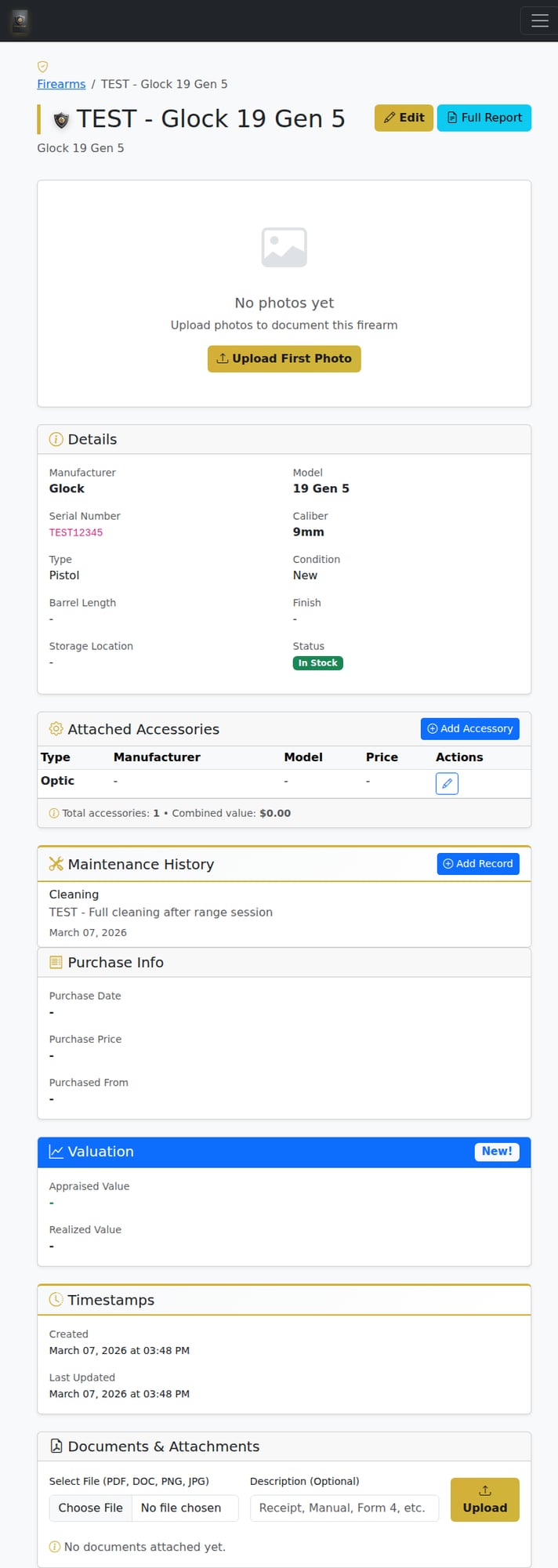
The detail view is your firearm's complete dossier.
Bonus: Explore Reloading (Pro/Ultimate)
If you reload your own ammunition, check out the Reloading Hub. Track your components (primers, powder, brass, bullets), save your recipes, and log batches.
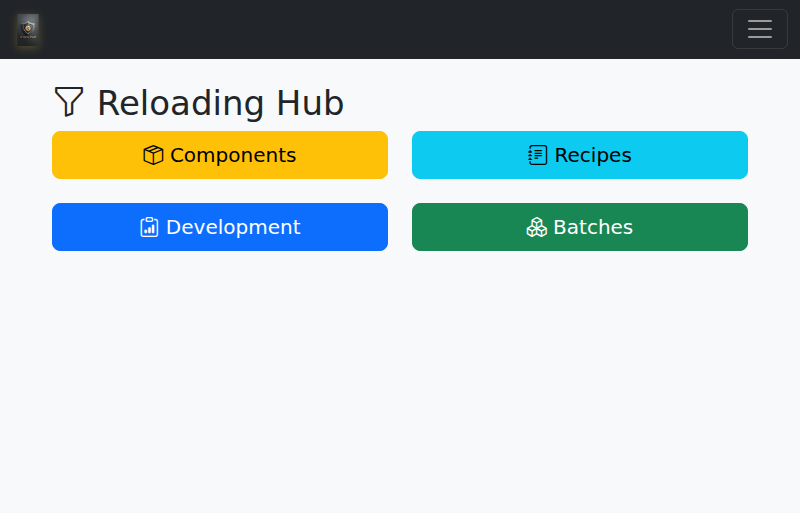
The Reloading Hub keeps your handload data organized.
What's Next?
You've got the basics down. Here are some things to explore next:
- Generate Reports — PDF exports for insurance documentation
- Maintenance Logs — Track cleaning, repairs, and modifications
- Import Data — Bring in your existing spreadsheet via CSV
- Backup Your Data — Desktop users, back up regularly!
Ready to Get Started?
Free forever for up to 5 firearms. No credit card. Upgrade to Basic ($1.99/mo) when you need unlimited.